> ## Documentation Index
> Fetch the complete documentation index at: https://docs.runconverge.com/llms.txt
> Use this file to discover all available pages before exploring further.
# OpenAI Ads
> An introduction to the OpenAI Ads marketing source
export const OutboundLink = ({linkText, linkTarget}) => {
return {linkText}
;
};
export const Icon = ({name}) => {
return
;
};
OpenAI Ads doesn't support URL macros yet, so you can't set per-ad tracking parameters (like `cvg_adid={AD_ID}`) on your ad URLs. You'll still see OpenAI's metrics broken down by ad in Converge, but Converge can't link those ads to the first-party events it tracks, as it does for other ad platforms. The OpenAI marketing source allows you to see platform-specific metrics (e.g. Ad Spend) in Converge.
To send data from Converge to OpenAI, check out the [OpenAI Ads Destination](/destinations/integrations/openai) instead.
## Set up the Marketing source
1. Navigate to your and choose **Settings > General**.
2. Under **API Keys**, click **Create New Key**.
3. Give it a name (e.g., `Converge`) and click **Create**.
4. In the **Save Your Key** screen, click **Copy** to copy the key to your clipboard and keep it safe.
5. Navigate to the [Marketing Sources](https://app.runconverge.com/-/ad-platforms) in your Converge dashboard.
6. Click on **Connect a new marketing source** and select **OpenAI Ads** from the list.
7. Give it a name (e.g., `OpenAI Ads`) and click **Next**.
8. In the **Configuration** step, fill in the **Reporting API key** field with the key you copied in *step 4*, and click **Next**.
9. Review your changes and click **Connect marketing source**. Your OpenAI Ads metrics should begin streaming into Converge.
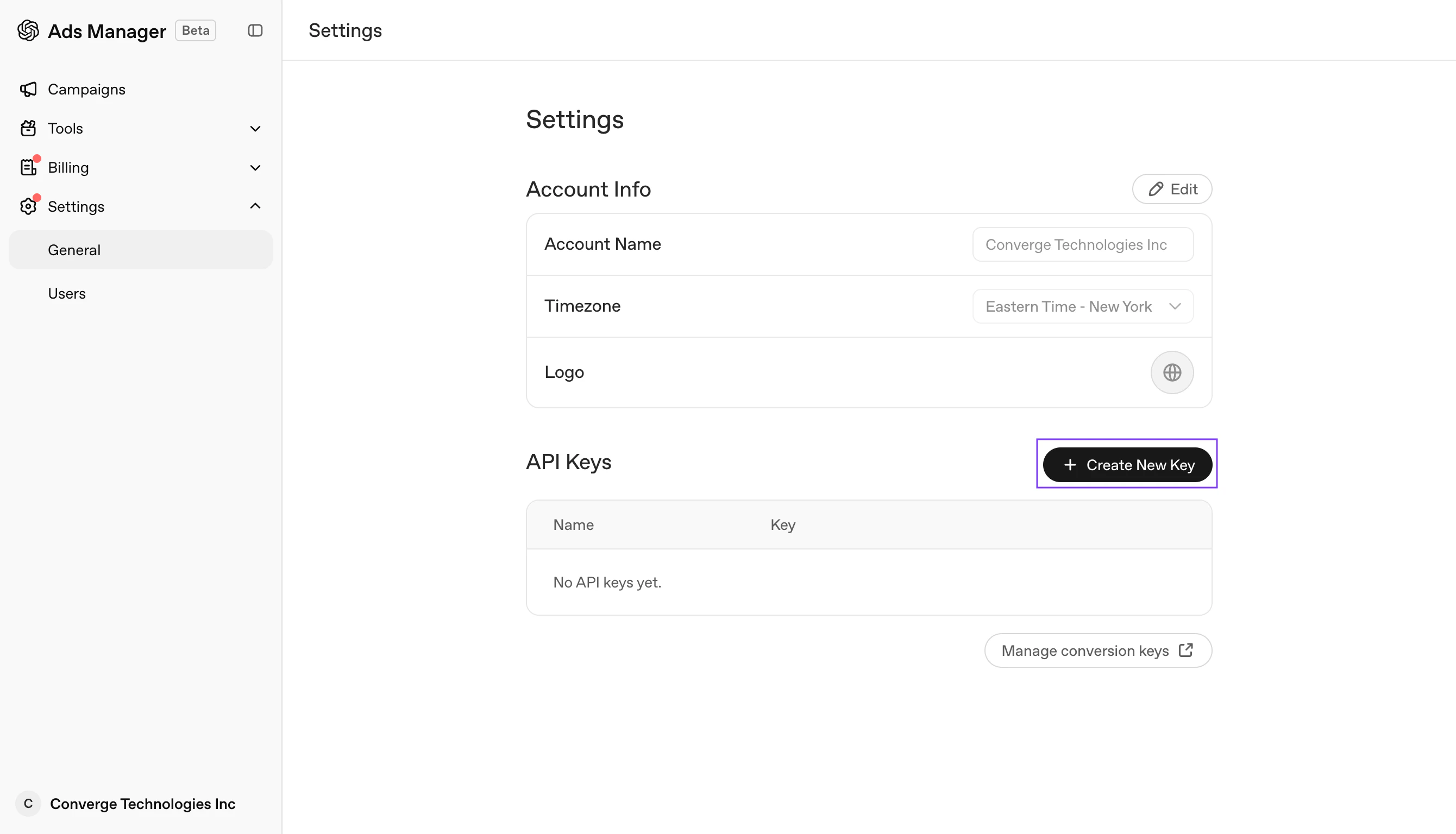 3. Give it a name (e.g., `Converge`) and click **Create**.
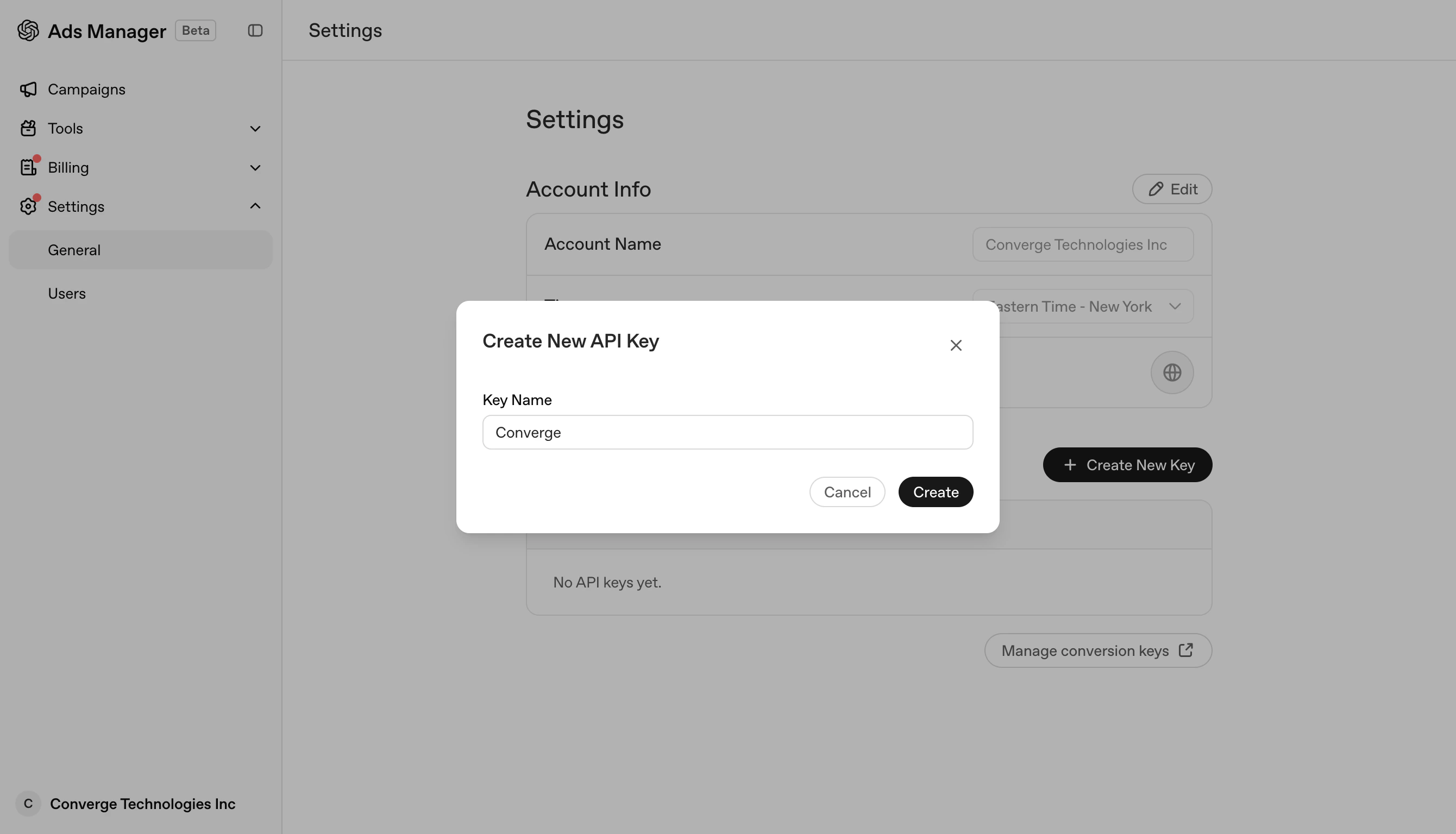 4. In the **Save Your Key** screen, click **Copy** to copy the key to your clipboard and keep it safe.
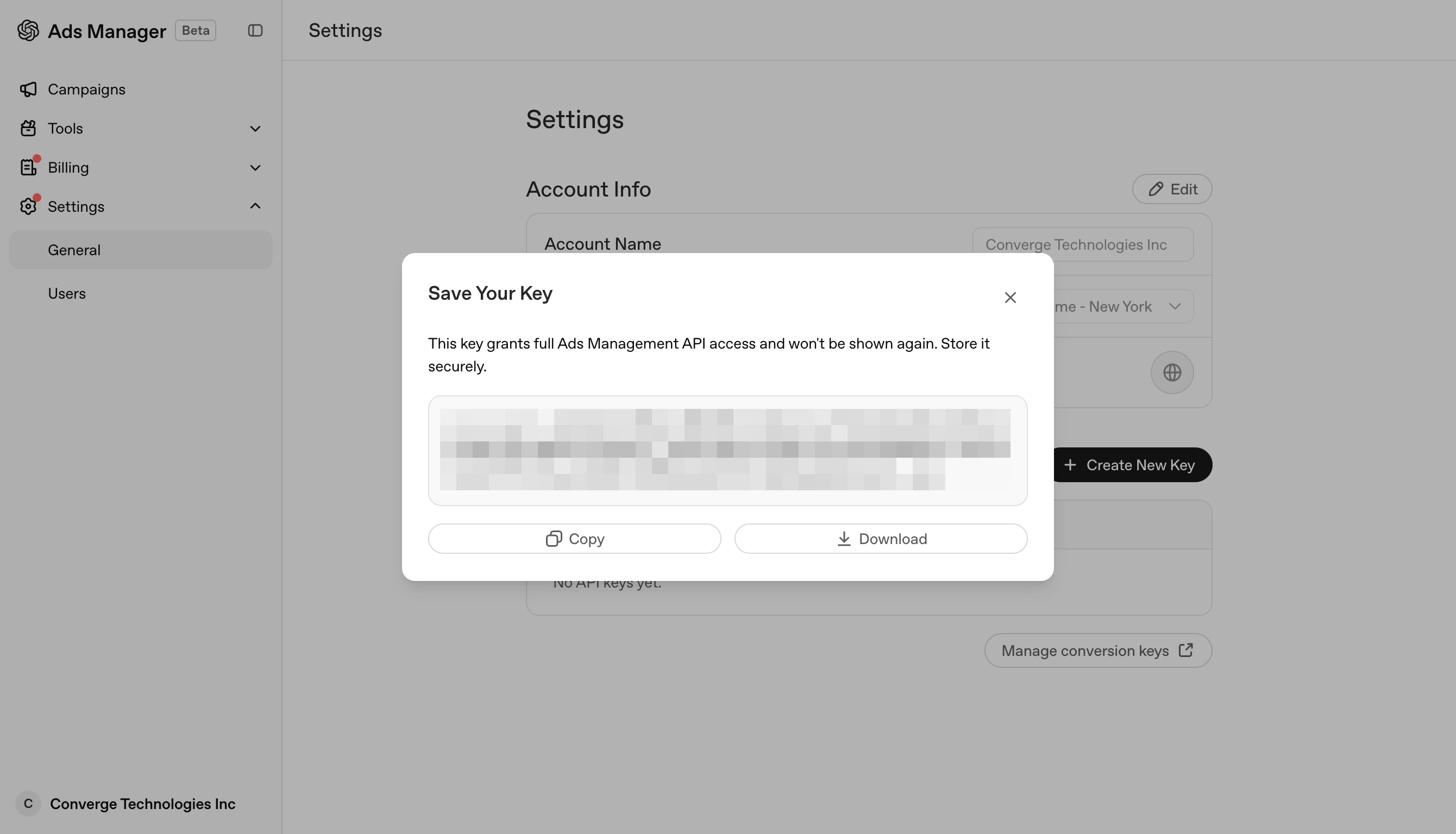 5. Navigate to the [Marketing Sources](https://app.runconverge.com/-/ad-platforms) in your Converge dashboard.
6. Click on **Connect a new marketing source** and select **OpenAI Ads** from the list.
7. Give it a name (e.g., `OpenAI Ads`) and click **Next**.
8. In the **Configuration** step, fill in the **Reporting API key** field with the key you copied in *step 4*, and click **Next**.
9. Review your changes and click **Connect marketing source**. Your OpenAI Ads metrics should begin streaming into Converge.
5. Navigate to the [Marketing Sources](https://app.runconverge.com/-/ad-platforms) in your Converge dashboard.
6. Click on **Connect a new marketing source** and select **OpenAI Ads** from the list.
7. Give it a name (e.g., `OpenAI Ads`) and click **Next**.
8. In the **Configuration** step, fill in the **Reporting API key** field with the key you copied in *step 4*, and click **Next**.
9. Review your changes and click **Connect marketing source**. Your OpenAI Ads metrics should begin streaming into Converge.