> ## Documentation Index
> Fetch the complete documentation index at: https://docs.runconverge.com/llms.txt
> Use this file to discover all available pages before exploring further.
# Monitoring
> Monitor and validate your ad platform integrations in Converge
export const IconText = ({name, text, iconSource = "mintlify", iconLocation = "before", iconType = "solid"}) => {
const sourceUrl = iconSource === 'local' ? `url('/images/icons/${name}.svg')` : `url('https://mintlify.b-cdn.net/v6.5.1/${iconType}/${name}.svg')`;
return <>
{iconLocation === 'before' &&
}
{text}
{iconLocation === 'after' &&
}
;
};
## Overview
Converge provides the following tools to monitor and debug whether your marketing sources are working correctly:
* [Tracking parameters](#tracking-parameters)
***
## Tracking parameters
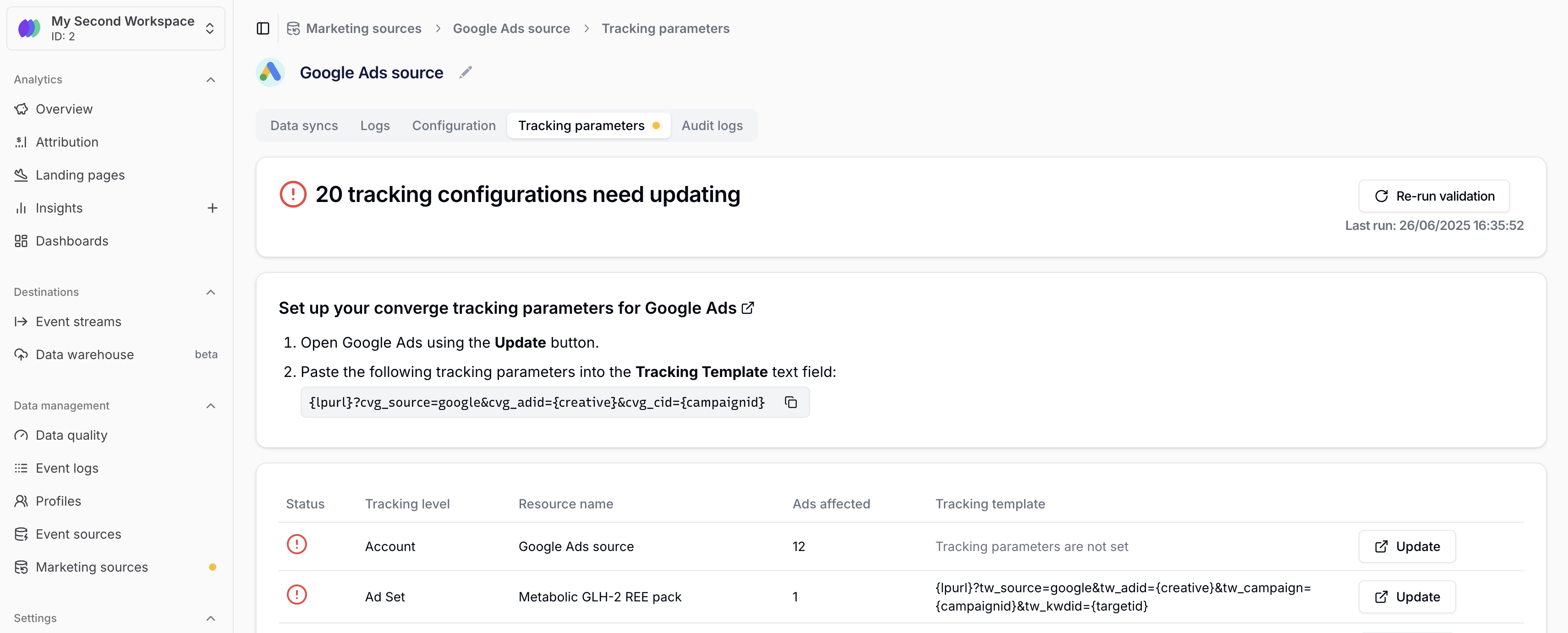
Converge will automatically flag when ads are not configured with the correct [tracking parameters](/attribution/tracking-parameters).
### Where to find tracking parameters
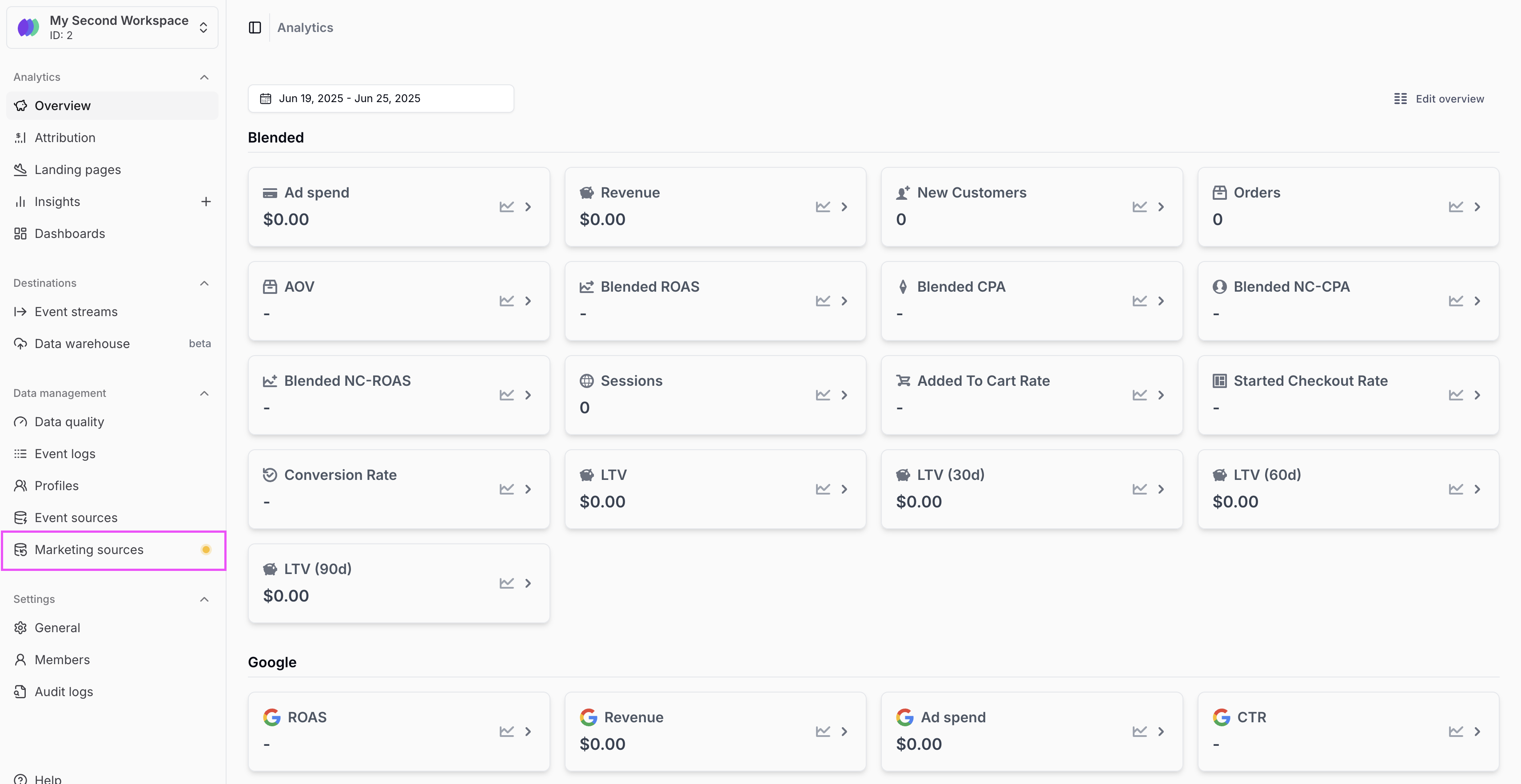
1. Navigate to the [Sources Tab](https://app.runconverge.com/-/ad-platforms) in your Converge dashboard.
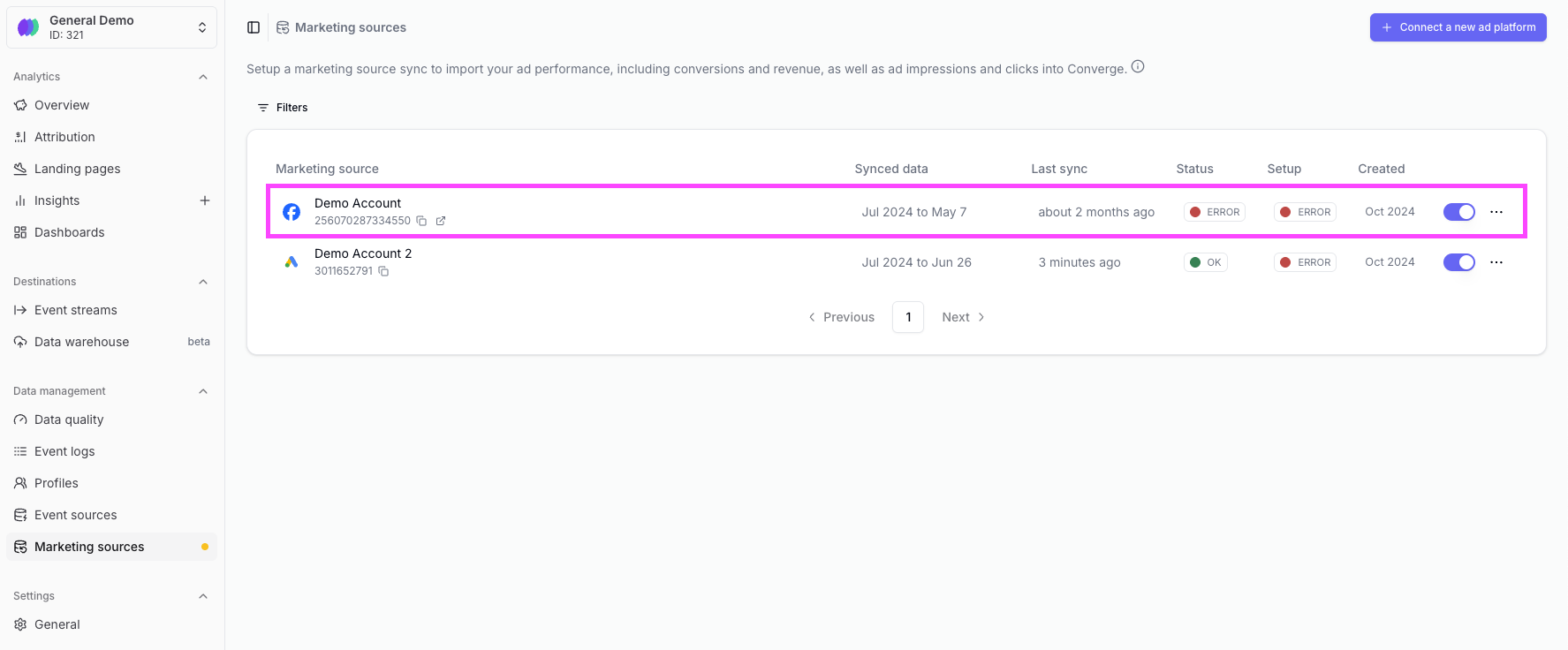
2. Click on the marketing source you want to validate.
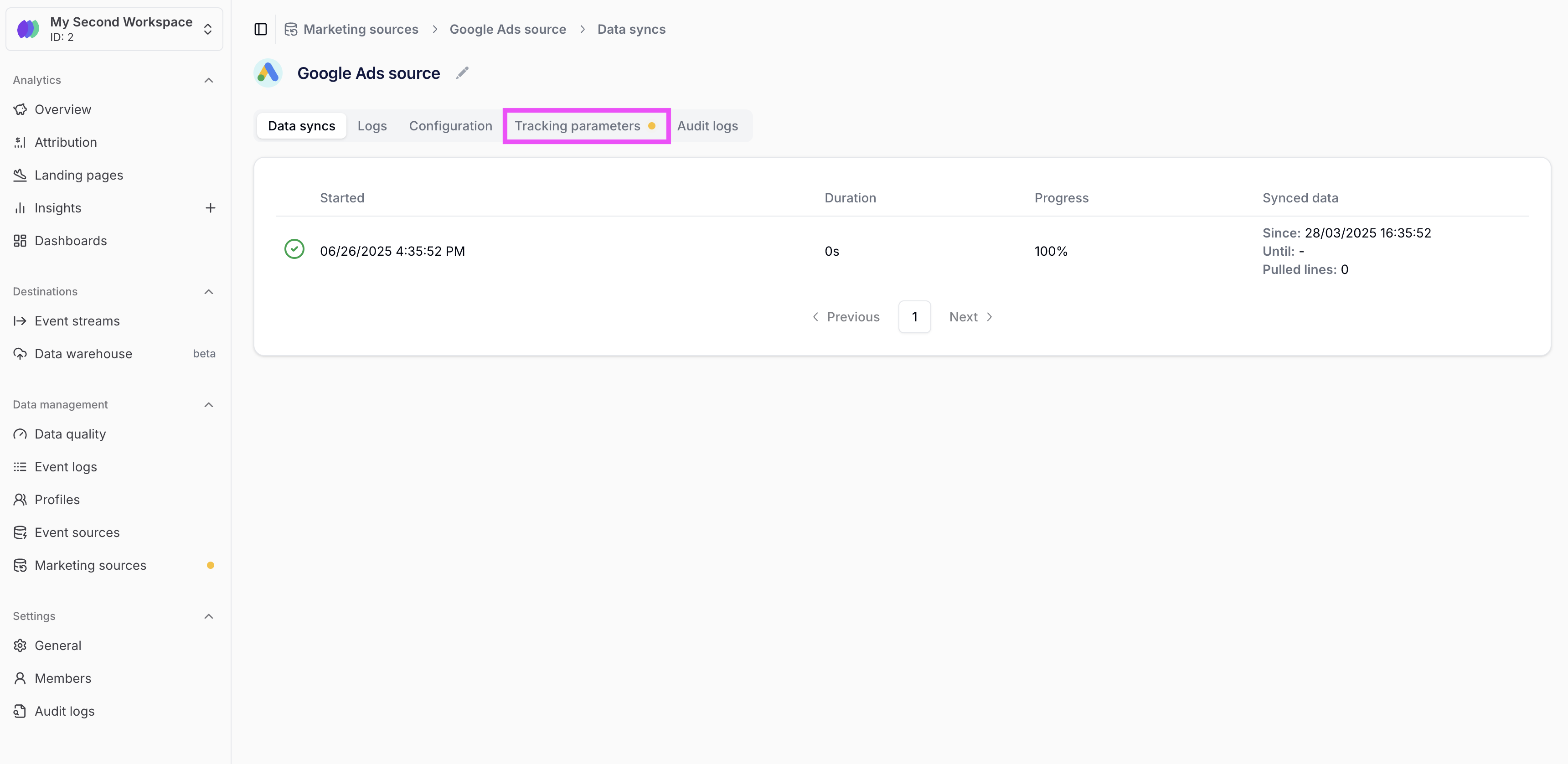
3. Click on the **Tracking parameters** tab to see the tracking parameters.
4. Correct any ads with invalid tracking templates by pressing on the **Update** button and pasting the correct template.
 2. Click on the marketing source you want to validate.
 3. Click on the **Tracking parameters** tab to see the tracking parameters.
 4. Correct any ads with invalid tracking templates by pressing on the **Update** button and pasting the correct template.