> ## Documentation Index
> Fetch the complete documentation index at: https://docs.runconverge.com/llms.txt
> Use this file to discover all available pages before exploring further.
# Sources
> How to get data into Converge?
export const CloudinaryVideo = ({src, controls = true, autoplay = false, loop = false, muted = true, poster = null}) => {
return ;
};
## Introduction
For Converge to work, it first needs data. You can get data into Converge by connecting it to **Sources**. There are two types of sources:
1. **Event sources**: Collect real-time customer event data from the Converge web pixel, server webhooks, or integrations (like Shopify).
2. **Marketing sources**: Pull in pre-attributed metrics—like Ad Spend, Impressions, Clicks, and Conversions from platforms like Facebook Ads and Google Ads.
All source data is blended and used by Converge to power your **Analytics**.
***
## Event sources
Tracking first-party events is at the core of Converge. You can track any event you want, but in most cases Converge will automatically track key events like *Viewed Product*, *Added to Cart*, and *Placed Order*.
### Client-side vs. server-side tracking
You can track events using two methods:
* **Client-side**: Events are sent directly from the user's browser to Converge. For example *Viewed Product*, *Added to Cart*, and *Started Checkout* are tracked by the **Converge JS Pixel**, added to your website directly or via an integration.
* **Server-side**: Events are sent from your servers to Converge after users interact with your website. For example *Placed Order* or *Cancelled Subscription* are sent to Converge via integrations like **Shopify**, **WooCommerce**, or the **Converge Webhook**.
### Profiles and sessions
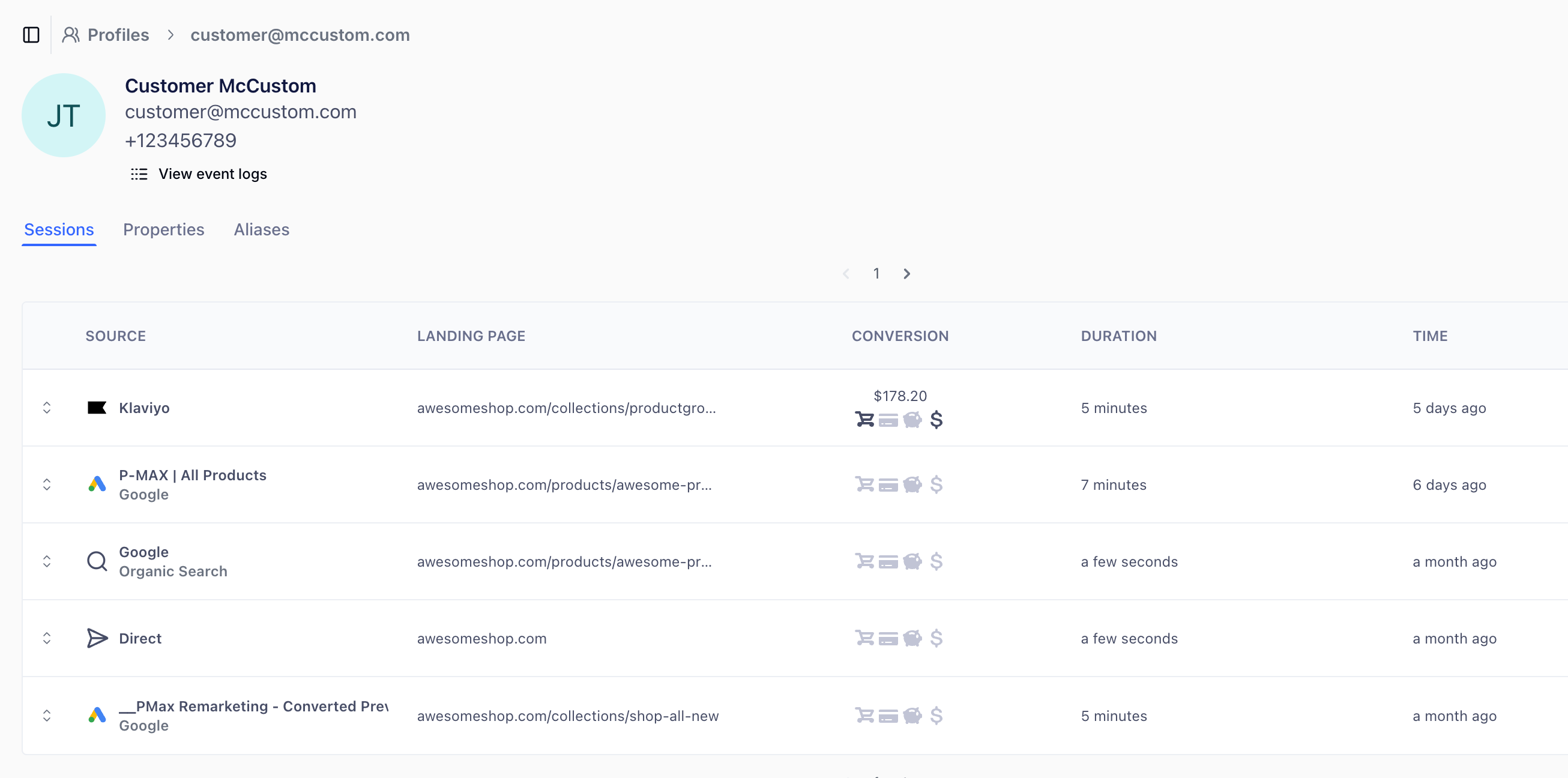
Converge groups all events into **Profiles** and **Sessions**:
* **Profiles**: A profile is a long-term view of a user’s behavior. All events tied to a user are grouped here.
* **Sessions**: A session represents a single visit to your site. Sessions are attributed to Channels or Ad Campaigns, helping you understand how users arrive on your website and what they do.
 ### Monitoring event sources
You can see which events are being sent with which properties by checking the [Data Quality](/data-management/data-quality) report or the [Event Logs](/data-management/event-logs).
### Finding event sources
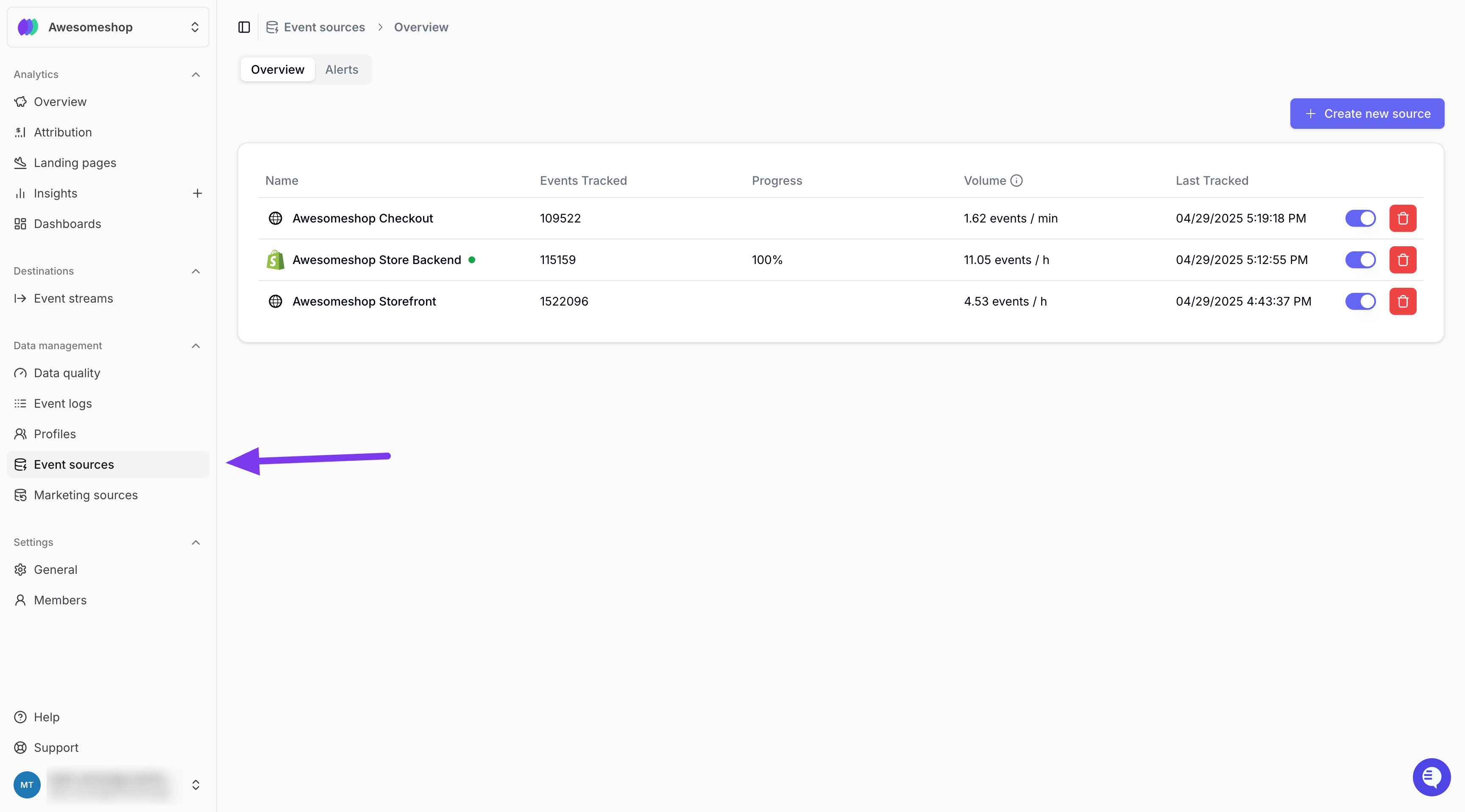
Go to **Event sources** under **Data management** in the main menu to see all connected event sources.
### Monitoring event sources
You can see which events are being sent with which properties by checking the [Data Quality](/data-management/data-quality) report or the [Event Logs](/data-management/event-logs).
### Finding event sources
Go to **Event sources** under **Data management** in the main menu to see all connected event sources.
 ***
## Marketing sources
Marketing sources pull in metrics from platforms like **Facebook Ads**, **Google Ads**, and **TikTok Ads**. Once connected, Converge will sync metrics like **Ad Spend**, **Impressions**, **Clicks**, **Conversions**, **Revenue**, and metadata like **Campaign**, **Ad Set**, and **Ad** names.
### Blended reports
Marketing source data is blended with first-party event data from your Event sources to create richer reports.
For example, if you connect **Google Ads**, you can report on both **Sessions** and **Purchases** (from events) and **Impressions** and **Ad Spend** (from marketing data), and you can calculate metrics like **ROAS** based on both.
***
## Marketing sources
Marketing sources pull in metrics from platforms like **Facebook Ads**, **Google Ads**, and **TikTok Ads**. Once connected, Converge will sync metrics like **Ad Spend**, **Impressions**, **Clicks**, **Conversions**, **Revenue**, and metadata like **Campaign**, **Ad Set**, and **Ad** names.
### Blended reports
Marketing source data is blended with first-party event data from your Event sources to create richer reports.
For example, if you connect **Google Ads**, you can report on both **Sessions** and **Purchases** (from events) and **Impressions** and **Ad Spend** (from marketing data), and you can calculate metrics like **ROAS** based on both.
 Converge doesn’t alter the metrics it receives from your marketing sources. But your destinations setup can influence how these platforms attribute results.
### Finding marketing sources
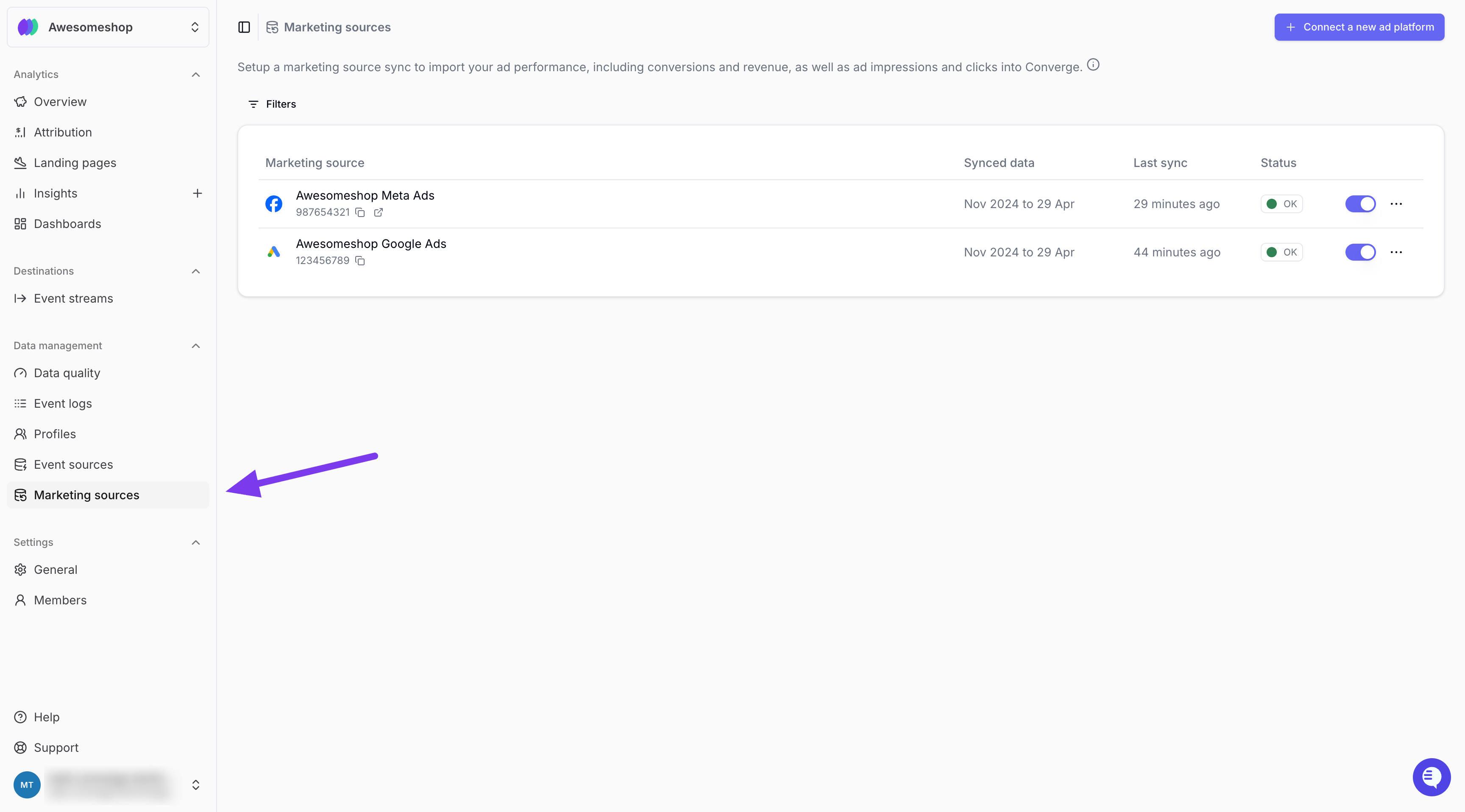
Go to **Marketing Sources** under **Data management** in the main menu to view all connected Marketing sources.
Converge doesn’t alter the metrics it receives from your marketing sources. But your destinations setup can influence how these platforms attribute results.
### Finding marketing sources
Go to **Marketing Sources** under **Data management** in the main menu to view all connected Marketing sources.
 ***
## Further reading
* [Learn more about client-side event sources](/sources/website-integrations/converge-pixel)
* [Learn more about server-side event sources](/sources/server-integrations/webhook)
* [Learn how Converge stitches client-side and server-side events](/sources/concepts/aliases)
* [Learn how Converge deduplicates events](/sources/concepts/deduplication)
* [Learn about all available Marketing sources](/ad-platforms/integrations/overview)
***
## Further reading
* [Learn more about client-side event sources](/sources/website-integrations/converge-pixel)
* [Learn more about server-side event sources](/sources/server-integrations/webhook)
* [Learn how Converge stitches client-side and server-side events](/sources/concepts/aliases)
* [Learn how Converge deduplicates events](/sources/concepts/deduplication)
* [Learn about all available Marketing sources](/ad-platforms/integrations/overview)