> ## Documentation Index
> Fetch the complete documentation index at: https://docs.runconverge.com/llms.txt
> Use this file to discover all available pages before exploring further.

# Cohorts

export const Icon = ({name}) => {
  return <div className="h-4 w-4 fill-gray-800 dark:fill-gray-100 text-gray-800 dark:text-gray-100 inline-block align-middle">
            <svg className="w-4 h-4 bg-gray-800 dark:bg-gray-100" style={{
    maskImage: `url('https://mintlify.b-cdn.net/v6.5.1/solid/${name}.svg')`,
    maskRepeat: "no-repeat",
    maskPosition: "center center"
  }} />
        </div>;
};

export const IconText = ({name, text, iconSource = "mintlify", iconLocation = "before", iconType = "solid"}) => {
  const sourceUrl = iconSource === 'local' ? `url('/images/icons/${name}.svg')` : `url('https://mintlify.b-cdn.net/v6.5.1/${iconType}/${name}.svg')`;
  return <>
            <div className="inline-block pl-2">
                {iconLocation === 'before' && <div className="h-3.5 w-3.5 fill-gray-800 dark:fill-gray-100 text-gray-800 dark:text-gray-100 inline-block align-middle mr-2">
                        <svg className="w-4 h-4 bg-gray-800 dark:bg-gray-100 " style={{
    maskImage: sourceUrl,
    maskRepeat: "no-repeat",
    maskPosition: "center center"
  }} />
                    </div>}
                <span className="inline-block align-middle font-semibold fill-gray-800 dark:fill-gray-100 text-gray-800 dark:text-gray-100 pl-1 pr-2">{text}</span>
                {iconLocation === 'after' && <div className="h-3.5 w-3.5 fill-gray-800 dark:fill-gray-100 text-gray-800 dark:text-gray-100 inline-block align-middle mr-2">
                        <svg className="w-4 h-4 bg-gray-800 dark:bg-gray-100 pr-3" style={{
    maskImage: sourceUrl,
    maskRepeat: "no-repeat",
    maskPosition: "center center"
  }} />
                    </div>}
            </div>
        </>;
};

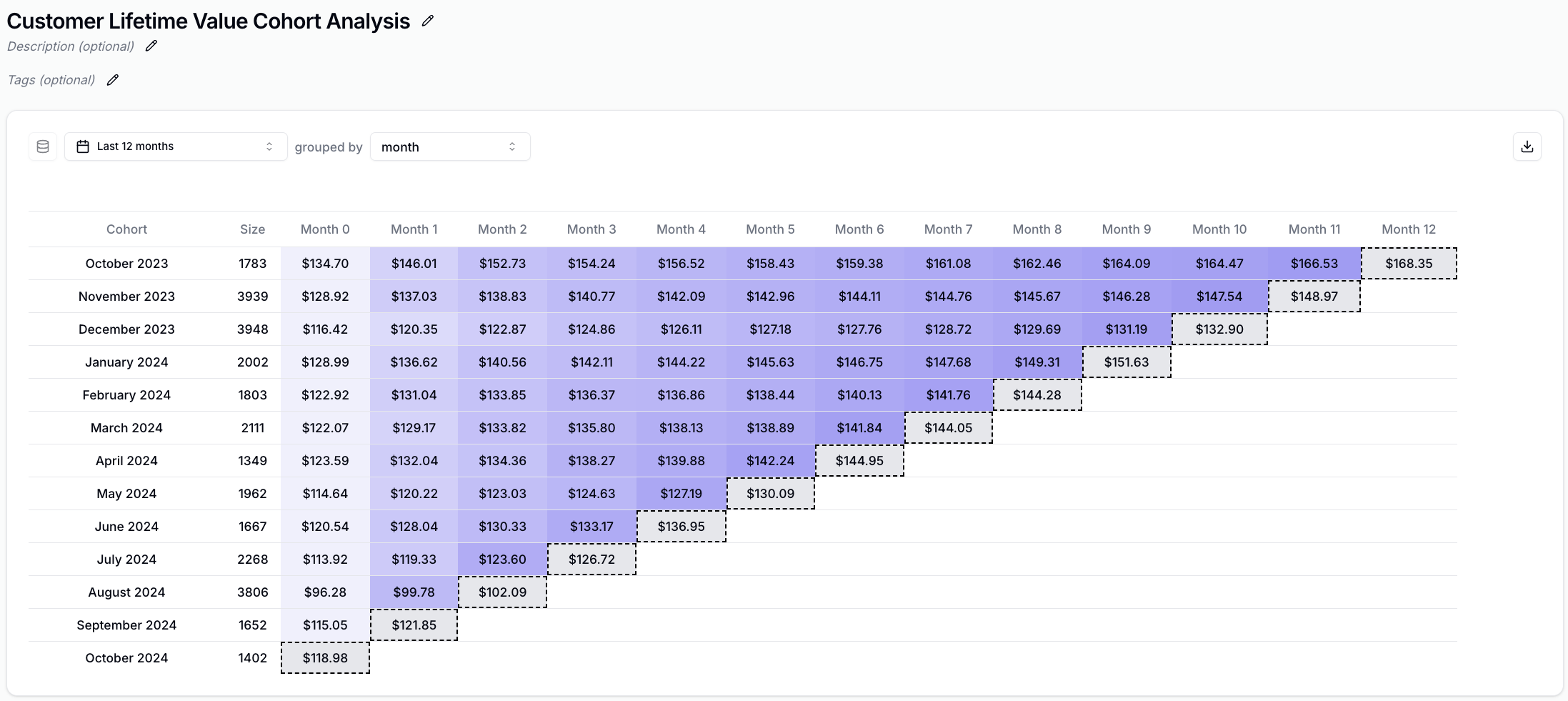
Cohort Insights are a specific type of insight that allows you to visualize how certain metrics evolve on a per-cohort basis (e.g., LTV).

## How to create your first cohort insight

1. From the sidebar click on <IconText text="Insights" name="plus" iconLocation="after" /> and click on **Create new Insight**.
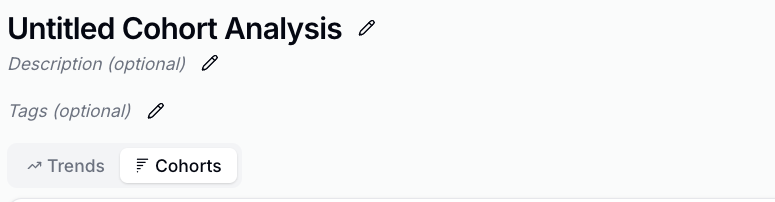
2. This will open the query builder, click on **Cohorts** from the top picker.
   <Frame>
     <img src="https://mintcdn.com/converge/zWlDFBz7l1F_0PFn/images/insights-dashboards/cohort-picker.png?fit=max&auto=format&n=zWlDFBz7l1F_0PFn&q=85&s=a49b0232a3e2780611abd655ab565f42" alt="Cohort picker" width="775" height="202" data-path="images/insights-dashboards/cohort-picker.png" />
   </Frame>
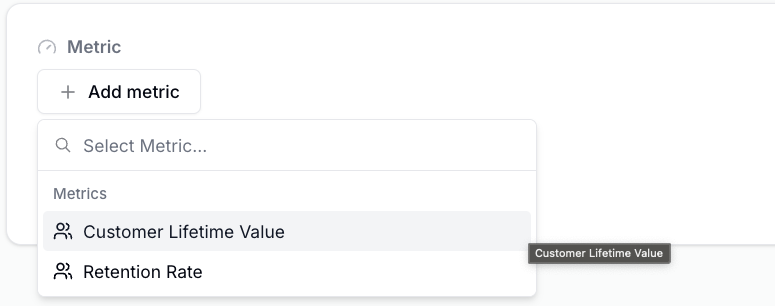
3. Click on <IconText text="Add metric" name="plus" />
4. Click on <IconText text="Customer Lifetime Value" name="users" />
   <Frame>
     <img src="https://mintcdn.com/converge/zWlDFBz7l1F_0PFn/images/insights-dashboards/cohort-picker-clv.png?fit=max&auto=format&n=zWlDFBz7l1F_0PFn&q=85&s=1c520b7c2c2456fed9571d2a8517e2e8" alt="Select metric" width="775" height="306" data-path="images/insights-dashboards/cohort-picker-clv.png" />
   </Frame>
5. Click on <IconText text="Create insight" name="floppy-disk" /> in the top right corner.
6. You've created your first cohort insight.
   <Frame>
     <img src="https://mintcdn.com/converge/zWlDFBz7l1F_0PFn/images/insights-dashboards/clv-cohort-analysis.png?fit=max&auto=format&n=zWlDFBz7l1F_0PFn&q=85&s=3511583c1513419983103ec50120a119" alt="Cohort insight" width="2195" height="981" data-path="images/insights-dashboards/clv-cohort-analysis.png" />
   </Frame>

## Cohort Metrics

| Metric                                                   | Description                                             |
| -------------------------------------------------------- | ------------------------------------------------------- |
| <IconText name="users" text="Customer Lifetime Value" /> | LTV of the Cohort at Month y                            |
| <IconText name="users" text="Retention Rate" />          | % of the Cohort who had a Placed Order event in Month y |