

Overview
Converge provides the following tools to monitor and debug whether your destinations are correctly set up.Destination Logs
Converge stores detailed logs of every event that gets sent to Converge, including event properties, profile properties, and aliases.Where to find Destination logs
- Navigate to the Destinations Tab in your Converge dashboard
- Click on the Destination you want to debug
- Click on the Logs tab to see the logs
- Click on any of the Log Lines to inspect a Log instance
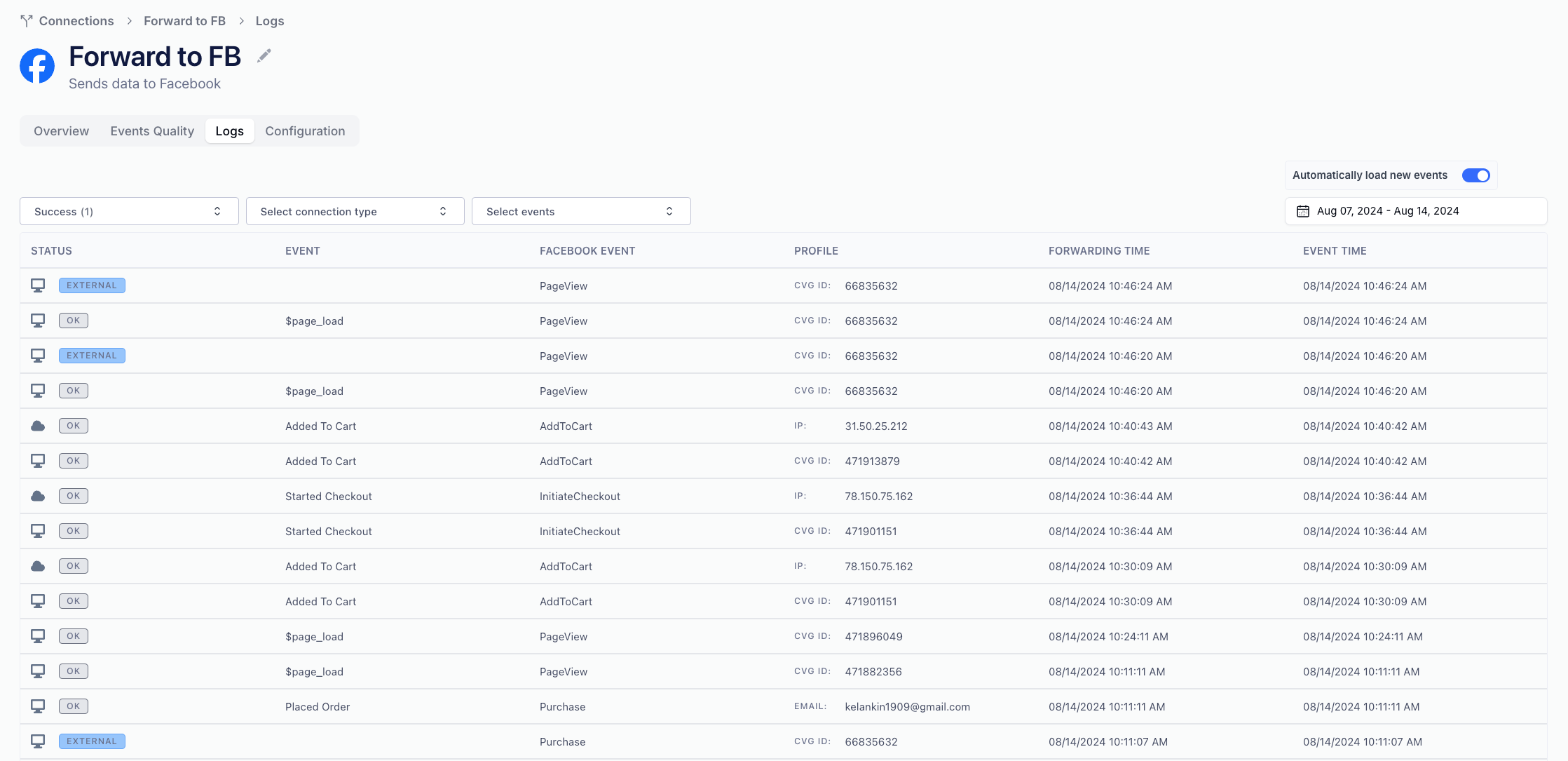
Filter through the logs
- By Event Name: You can select a subset of events to show in the log by clicking Select events and then ticking the relevant events.
- By Date: You can use the date picker in the top right corner to select log lines from a particular date range.
- By Forwarding Status: You can click Select status to see the Forwarding Status of a particular event.
- By Destination Type: Whether the forwarding is processed through the Server or through the Browser (client-side).