

Prerequisites
- A Converge account with access to at least one workspace.
- An MCP-compatible AI assistant: Claude, Claude Code, or ChatGPT.
Install the Converge MCP server
- Claude
- Claude Code
- ChatGPT
- API Key
Connect through Anthropic’s web or desktop app at claude.ai. Free accounts support only one custom connector; Pro or Team subscriptions allow adding more.
1
Open Connectors settings
Open Claude and navigate to Settings > Connectors.
2
Add the Converge connector
Click Add custom connector and fill in:
- Name:
Converge Analytics - URL:
https://app.runconverge.com/api/mcp
3
Authenticate
Start a new conversation and ask a question that triggers the Converge tools (e.g., “List my Converge workspaces”). A browser window opens for Google sign-in. Use the same Google account you use to access Converge.
4
Allow the Converge domain
Go to Settings > Capabilities and scroll to Additional allowed domains.
Add 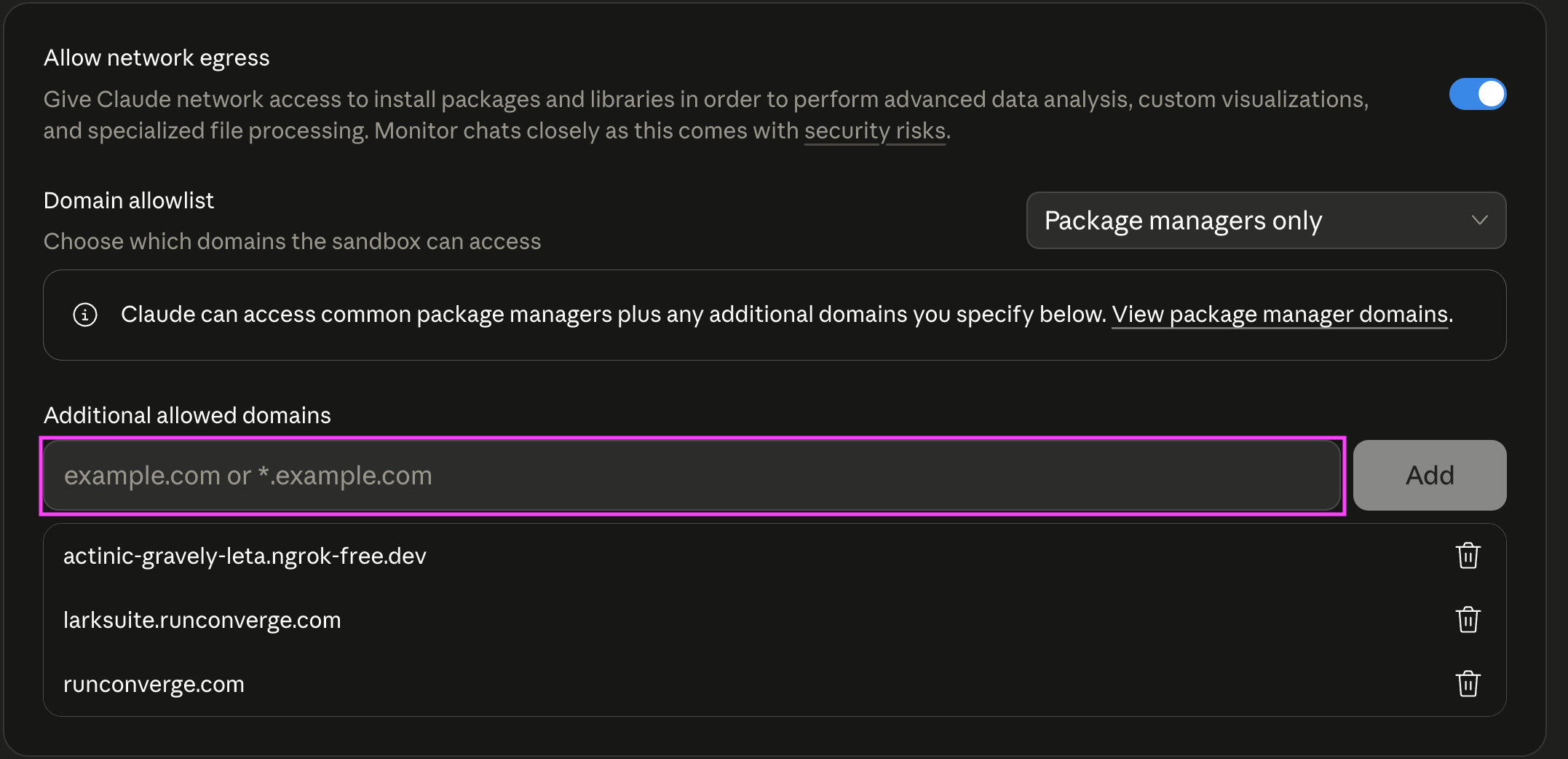
app.runconverge.com to the list.This lets the AI agent download content directly from Converge servers, which saves tokens, uses less context, and makes queries faster.
Verify the connection
Ask your AI assistant something like:“List my Converge workspaces.”You should see your workspace names returned. If your account has access to multiple workspaces, specify the one you want by name in your prompt (e.g., “Show me last week’s spend for Acme US”).
Try a query
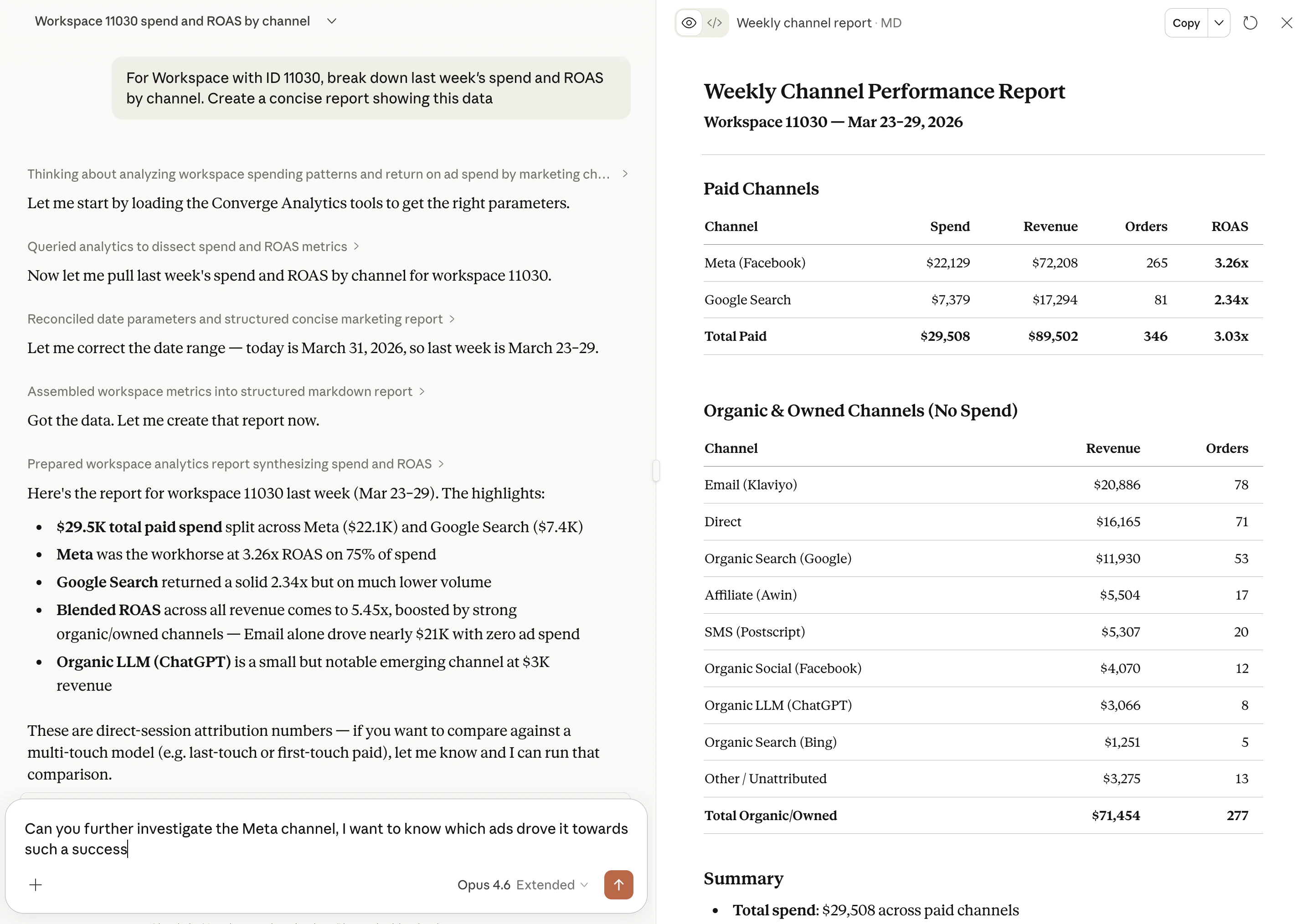
Once connected, try one of these prompts:- “Break down this week’s spend, new customer orders, and CPA by channel.”
- “Show me campaign-level spend and ROAS for Facebook this week vs last week.”
- “Which landing pages drove the most new customer orders this month?”
Next steps
Example prompts
See example prompts and what you can ask your AI assistant.
Automate workflows
Schedule recurring reports with n8n, Zapier, or Claude Cowork.
Ask Claude in Slack
Query your analytics data by @mentioning Claude in any Slack channel.