

Prerequisites
Before setting up Claude in Slack, connect the Converge MCP server to your Claude account first. Follow the setup guide to get started.Set up Claude in Slack
1
Install the Claude Slack app
A Slack workspace admin installs the Claude app from the Slack Marketplace.
2
Connect your Claude account
Open the Claude app in Slack and click Connect Account. Authorize with the
same Claude account where you connected the Converge MCP server.
3
Enable Chat mode
In the Claude app home in Slack, find Routing Mode and select Code + Chat. This lets Claude route analytics questions through Chat, where MCP connectors live.The routing options are: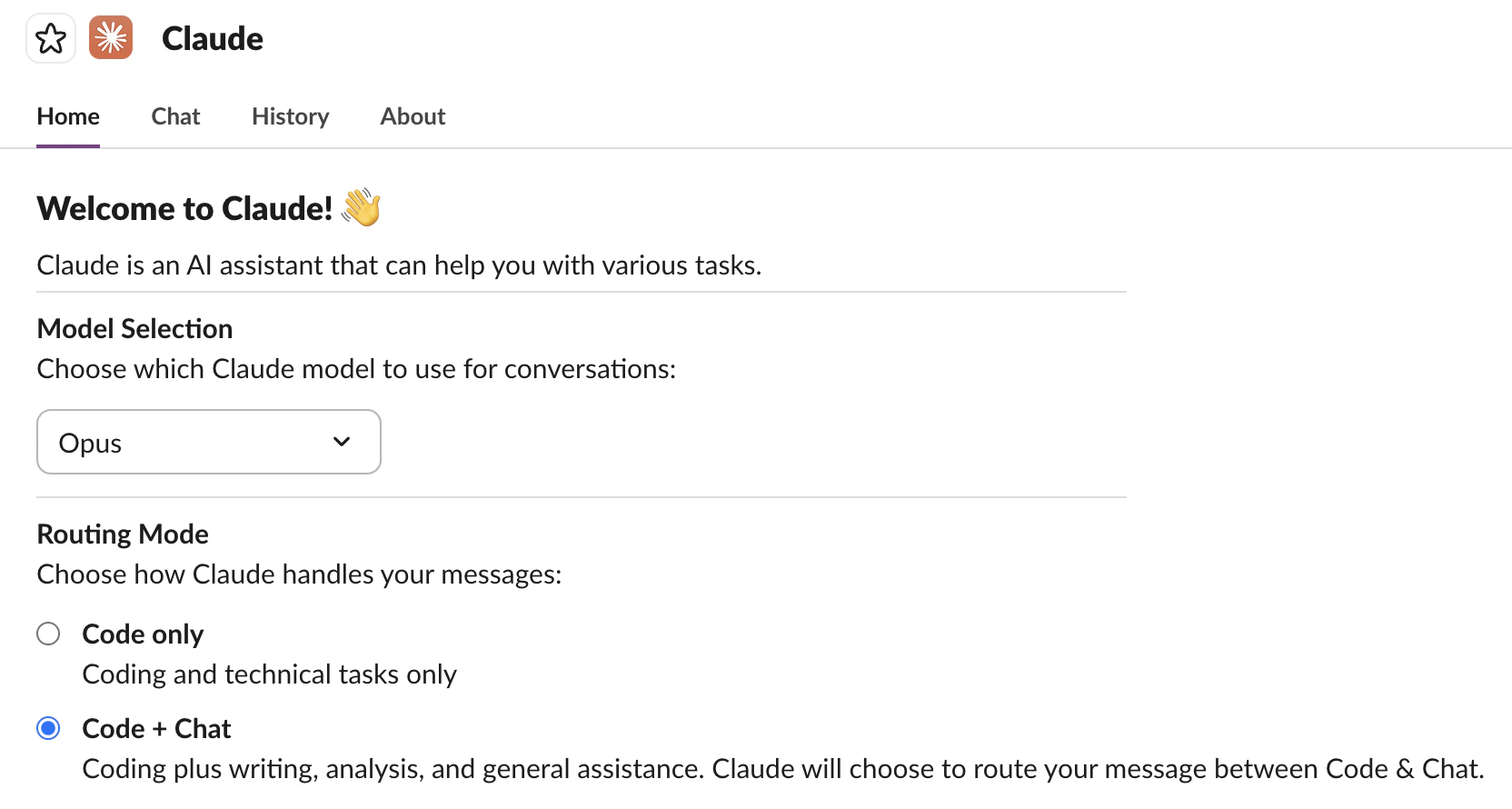
- Code: Routes all messages to Claude Code (no MCP access).
- Code + Chat: Claude decides which mode fits the message. Pick this one so analytics questions go through Chat (MCP connectors available) while code questions still work.
4
Invite Claude to a channel
In the Slack channel where you want to use Claude, type
/invite @Claude.5
Verify the setup
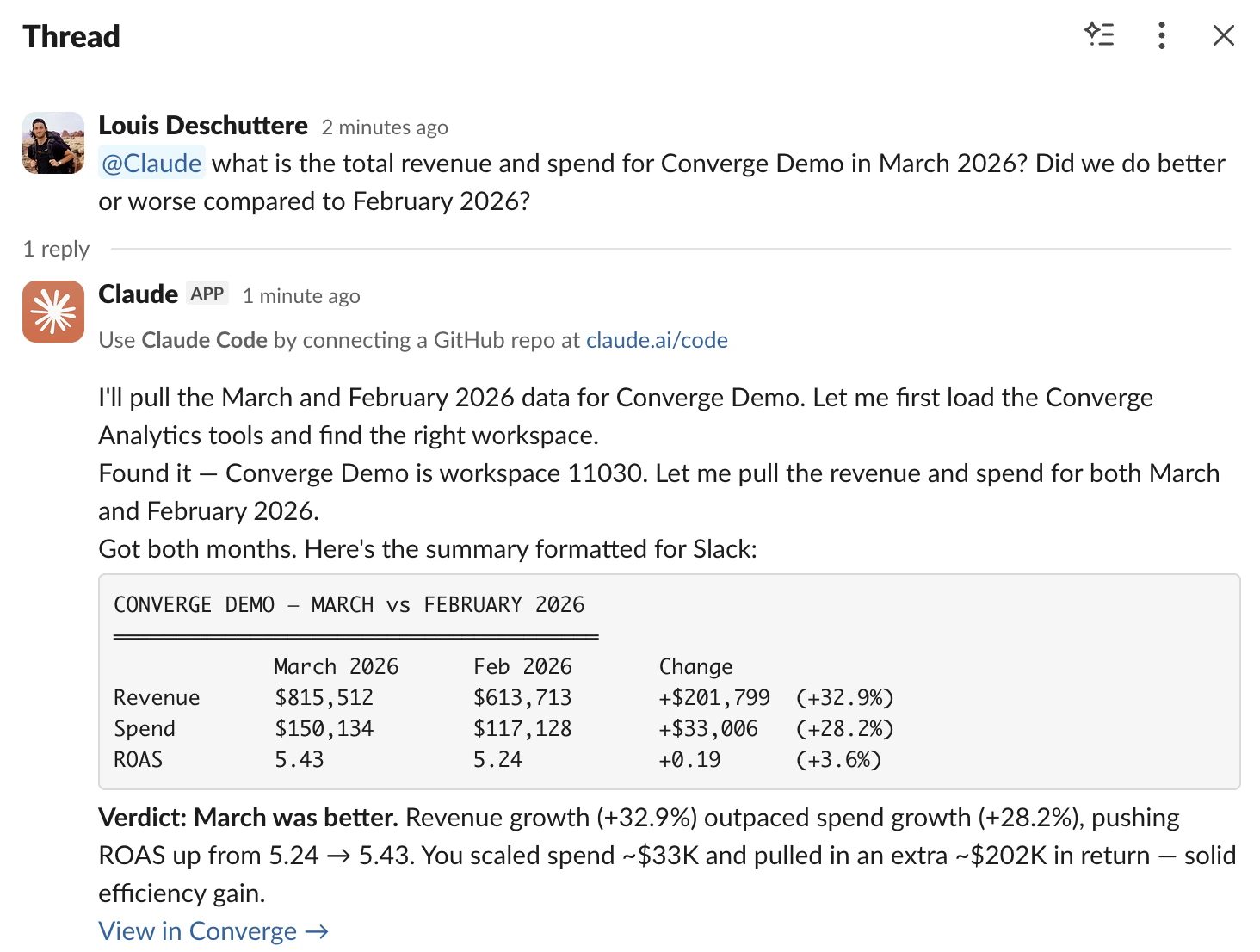
@mention Claude with an analytics question to confirm everything works. For example:
@Claude what is revenue for Acme Corp for the last 7 days?Claude should call the Converge MCP server and reply with your data in the thread. Note that Claude keeps context within a Slack thread. Reply in the same thread and @mention Claude to ask follow-up questions without repeating yourself.